
Visuals & Style Guide
Photography & Imagery
Sourcing Images
- Student Life DAC
Password : MARTINO - Michigan Commons. These photographs are free for U-M use.
- If you can’t find anything that works, reach out to CMD.
Quality Standards
Only use high-resolution photos with clear focus on the subject matter. Avoid stock photography that feels “fake, shiny and overly staged” – We want real students, real spaces, and real action.
The “Vibe”
Natural, friendly, and warm. The images should have even lighting and not heavy contrast. Please do not add filters or color treatments to photos.
Image Dos and Don’ts
Dont’s

- Stock photos that feels stiff and posed

- Images that are dark and moody. This also has a blue color cast. We want to avoid any type of tint in the photos.
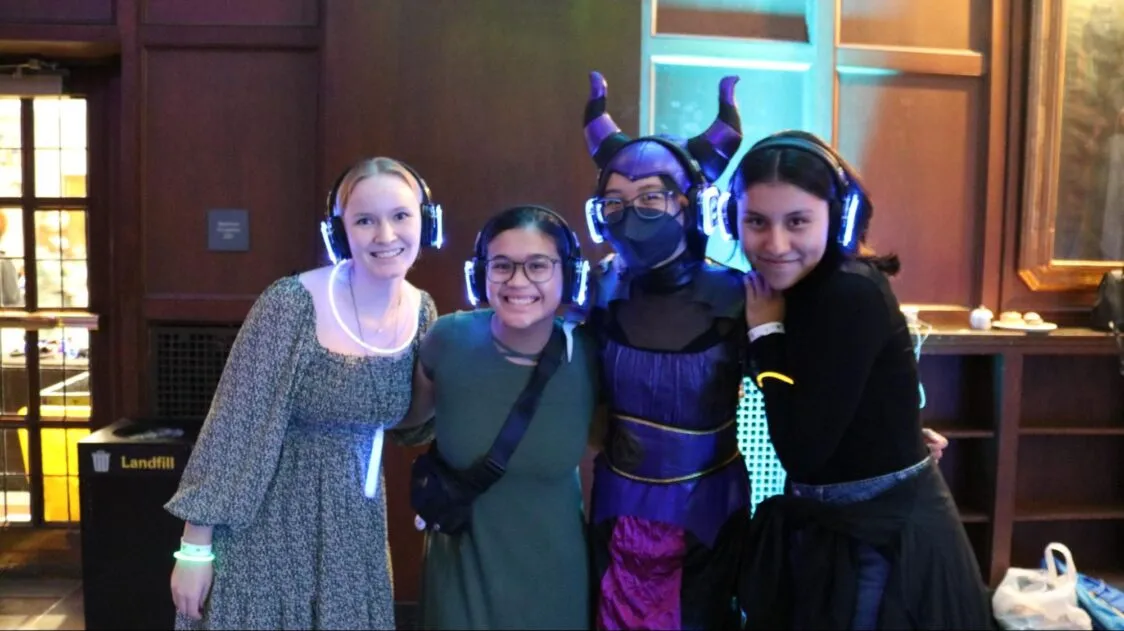
- Soft focus
Dos
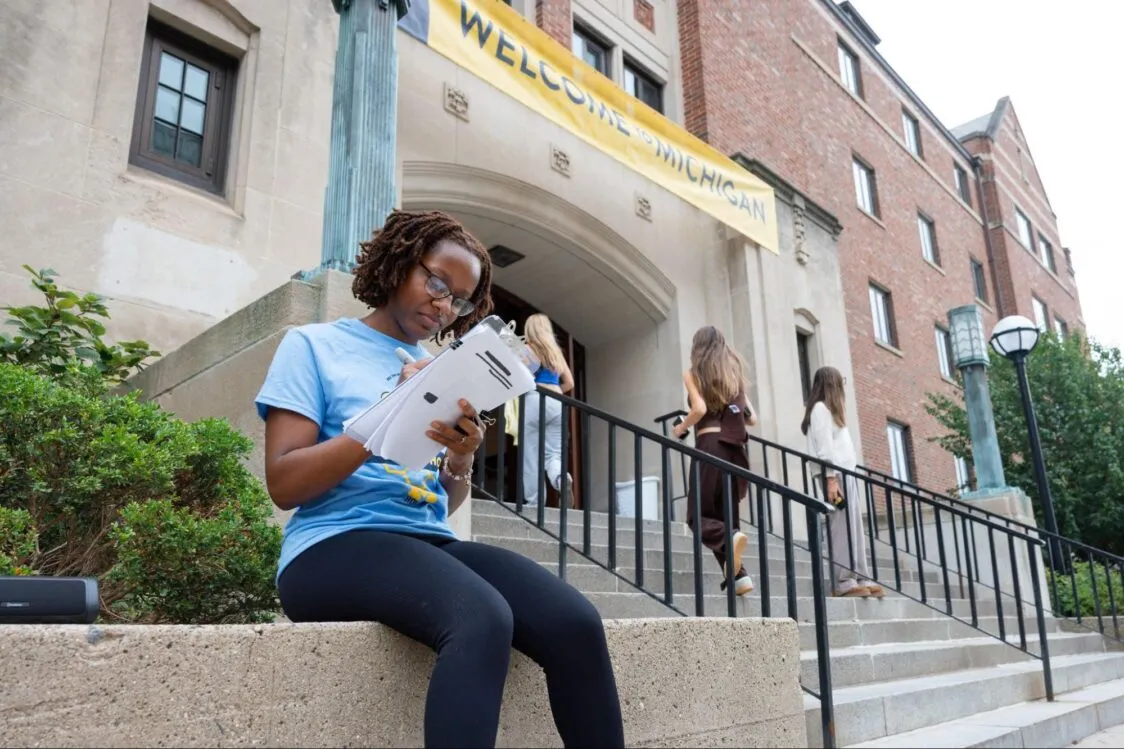
- The subject of the photo is in focus
- Candid shot
- Real campus environment
- Even lighting and color balance
Copyright
We must own the rights to the photos or use Michigan Commons photos. News Articles are the only piece of content where photos can be credited.
Follow this formatting for all image credits:
Image credit: Insert Individual or organization name here
Examples:
- Image credit: Sally Jones
- Image credit: Michigan Photography
- Image credit: OUD Leaders and Best
Image File and Naming Guidelines
The place where images are stored on the website is called the Media Library. Media Libraries can get really messy, really fast. Naming guidelines can help keep things organized and track the placement of each image. This can help with “spring cleaning” and reviewing the site for image duplications.
File Size
Maximum uploadable file size on WordPress is 24MB
Naming Guidelines
To ensure photo file names work across all operating systems,
- you cannot use the following special characters: : ” / \ | ? *.
- Avoid spaces, as they can cause broken links on the web.
- Also avoid special symbols like #, %, &, +, ~, and !. Use hyphens (_) for spacing.
Examples
For a photo in a component:
page-name-component.jpg
Example: community-and-belonging-header.jpg
For call to action photos:
page-name-cta.jpg
Example: community-and-belonging-cta.jpg
For cards within a page section:
page-name-section-title-component-name.jpg
Example: community-and-belonging-additional-programs-saas-card.jpg
For News Article Header:
news-first-three-words-of-title-header.jpg
Example: news-support-for-students-header.jpg
For News images in body of article:
news-first-three-words-of-title-1.jpg
Example: news-support-for-students-1.jpg
news-first-three-words-of-title-2.jpg
Example: news-support-for-students-2.jpg
For Employee Headshots:
firstname-lastname.jpg
Iconography
Icon requests must be submitted to CMD.
Color Palette
Maize: #FFCB05
Michigan Blue: #00274C
Arboretum Blue: #2F65A7
Taubman Teal: #00B2A9
Typeface
The typeface Montserrat, used on the website, is for website use only. Consult Student Life Brand Guidelines for correct typeface for other purposes.
Video Guidelines
Videos should be high quality and shot at a high resolution. Keep in mind the video thumbnail will be shown in the video component on the website. Thumbnail images should align with photography image guidelines. High quality thumbnails can be uploaded to youtube if needed.